
Jack and I couldn't shift the site into archive/hibernation mode without putting together one last post. When we announced the decision, we heard from so many in the community about what the site has meant to you over the years. We hope you'll forgive a little self-indulgence as we look back on what the site has meant to us, because it...and all of you...have had a big impact … [Read More...]
Featured Articles
Our Favorite Sounds of 2018
The year 2018 has been one of many great articles, interviews, and discussions here at Designing Sound and we want to thank all of our readers for their attention, suggestions, contributions, and overwhelming support throughout the year(s). There have been so many great films, shows, games, and events in 2018 that we thought we would share some of […]

This Is Not A Train: An exploration of meaning, emotion and the roles of sound in film through ambiguity and reassociation
This is a guest contribution by Carlos Manrique Clavijo. Carlos Manrique Clavijo is a Colombian/Australian sound editor/sound designer and animation producer based in South Australia. He’s worked on award winning fiction, documentary and predominantly, animation from 2002. With Ana María Méndez, he is the co-founder of animation company, KaruKaru. Carlos has taught film sound design, […]
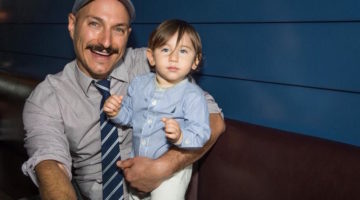
Interview: Tony Orozco on the theme of “hibernation” in sound design
The topic of the month is hibernation. As the winter weather comes in and things get cold, many animals go to sleep for the winter. I decided to turn to Tony Orozco for some help. Tony Orozco is a supervising sound editor and re-recording mixer and has worked on shows such as Steven Universe, Adventure […]
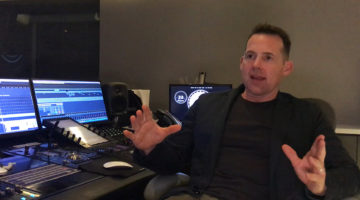
Interview: Johnnie Burn on Creating the Sound for The Favourite
Korey Pereira: Johnnie, thanks for taking the time to talk to me and the designingsound.org readers about the sound of Director Yorgos Lanthimos’ latest film, The Favourite. This is the third of Yorgos’ films you have worked on; how did that relationship begin? Johnnie Burn: Hi Korey! Thanks so much for your time. I’ve got […]
News

The Sound of Battlefield V
Total immersion has been a keyword for the Battlefield game series. DICE strive to achieve this in every aspect of the game and audio plays an … [Read More...]

Interview with Ben Minto, Sound Director from Dice
In this interview, Ben Minto, who worked as sound director on Star Wars Battlefront, tells about what sets Dice apart from the typical triple A … [Read More...]

Designing Signature Sounds
Not all sounds are created equally. There are sounds that demand just that extra attention. Kate Finan, from Boom Box Post, calls them “signature … [Read More...]
FACT Magazine: Bratislava’s LOM is bringing affordable field recording to the masses
Photo courtesy of FACT In this article, John Twells explores the work of Jonáš Gruska in providing relatively low-cost equipment for field … [Read More...]
This Maze of Screams and Whispers is as Unsettling as it is Arousing
Rafael De Cardenas, visionary designer, and Sahra Motalebi, sound artist, combined to bring an eerily unsettling, yet super aesthetic environment … [Read More...]